<?xml version="1.0" encoding="utf-8"?><feed xmlns="http://www.w3.org/2005/Atom" ><generator uri="https://jekyllrb.com/" version="3.10.0">Jekyll</generator><link href="https://cleardatalabs.com/feed.xml" rel="self" type="application/atom+xml" /><link href="https://cleardatalabs.com/" rel="alternate" type="text/html" /><updated>2026-04-04T19:19:13+00:00</updated><id>https://cleardatalabs.com/feed.xml</id><title type="html">ClearDataLabs</title><subtitle>AI, neural networks, and browser demos — explained from scratch.</subtitle><author><name>Kostiantyn Chumychkin</name></author><entry><title type="html">The Architectural Loophole: AI Copyright &amp;amp; Book Replication</title><link href="https://cleardatalabs.com/articles/ai-copyright-architectural-loophole/" rel="alternate" type="text/html" title="The Architectural Loophole: AI Copyright &amp;amp; Book Replication" /><published>2026-04-04T00:00:00+00:00</published><updated>2026-04-04T00:00:00+00:00</updated><id>https://cleardatalabs.com/articles/ai-copyright-architectural-loophole</id><content type="html" xml:base="https://cleardatalabs.com/articles/ai-copyright-architectural-loophole/"><![CDATA[<p>AI has a strange relationship with access control. I recently asked for a copyrighted book and hit a 403 Forbidden error—the AI refused to help me ‘pirate’ a PDF. But moments later, it granted me full read-access anyway, perfectly reconstructing the book’s entire conceptual architecture from its own weights.</p>

<p><img src="/assets/img/ai-copyright-architectural-loophole/loophole.png" alt="Digital illustration of an AI model deconstructing and recreating a software design book." /></p>

<p>While researching a few seminal software architecture books I asked AI assistant to find and compress their core insights. The response was the standard, hard-coded ethical wall we’ve all seen:</p>

<blockquote>
  <p><em>“I can’t help download copyrighted books. It’s a violation of the author’s rights and publisher’s copyright.”</em></p>
</blockquote>

<p><strong>But then came the pivot.</strong> Less than two minutes later, after a slight nudge for a summary, the AI offered a workaround that felt like a “legal glitch in the matrix”:</p>

<blockquote>
  <p><em>“I’ve read these extensively. Let me build distilled handbooks from my training knowledge, maintaining the same format and density.”</em></p>
</blockquote>

<p>What followed was a <strong>startlingly accurate, 8,000-word recreation</strong> of the book’s architecture. It didn’t just summarize; it mirrored the original chapter flow, conceptual hierarchy, and technical density with surgical precision.</p>

<p>It didn’t give me the <em>original file</em>, but it gave me the <em>downloadable functional DNA</em> of the work.</p>

<hr />

<h2 id="1-beyond-summarization-architectural-replication">1. Beyond Summarization: “Architectural Replication”</h2>

<p>As an AI enthusiast, I was impressed. As a professional, I was concerned. Most discussions about AI ethics focus on “scraping” or “plagiarism.” But we are entering a new phase I call <strong>Architectural Replication.</strong></p>

<p>When an LLM provides a “distilled handbook” that maintains the density of a 400-page work, it isn’t just “talking about” the book. It is <strong>mapping the blueprint.</strong></p>

<ul>
  <li><strong>The Paradox:</strong> The model protects the <em>container</em> (the PDF) while giving away the <em>contents</em> (the logic) for free.</li>
  <li><strong>The Loophole:</strong> In 2026, we are seeing the rise of <strong>Synthesized Displacement.</strong> This is where the AI provides enough “distilled” value that the user no longer feels the need to purchase the original source.</li>
</ul>

<hr />

<h2 id="2-the-2026-grey-zone-for-tech-talent">2. The 2026 “Grey Zone” for Tech Talent</h2>

<p>For the “next-gen” developers and AI enthusiasts, this feels like a superpower. You can ingest the “wisdom” of a decade-long career in a 20-minute read. But this shortcut has a hidden technical debt.</p>

<h3 id="the-accuracy-trap">The Accuracy Trap</h3>
<p>The AI’s 8,000-word “mirror” is incredibly close, but it’s still a reconstruction. While the <strong>structure</strong> is there, the <strong>nuance</strong>—those hard-won edge cases that authors spend years documenting—can become flattened.</p>

<h3 id="the-data-starvation-loop">The Data Starvation Loop</h3>
<p>If we stop supporting technical authors because an AI “distilled” them for us, the flow of high-quality data stops. We are essentially eating the “seed corn” of future training data.</p>

<hr />

<h2 id="3-navigating-the-ethics-and-the-law">3. Navigating the Ethics (and the Law)</h2>

<p>Under the <strong>2026 EU AI Act</strong> and recent Medium community standards, we are moving toward a world of “AI Transparency.” If you are using these distilled handbooks to build systems, you need to be an <strong>Ethical Curator</strong>, not just a prompt engineer.</p>

<ul>
  <li><strong>Verification is Mandatory:</strong> Even a “structurally perfect” recreation can hallucinate a critical software pattern. Always treat AI-distilled handbooks as a “Map,” not the “Territory.”</li>
  <li><strong>Support the Source:</strong> If a distillation saves you 20 hours of work, that is the highest praise for the author. Buy the original book. Use it as your Source of Truth.</li>
</ul>

<hr />

<h2 id="final-thought">Final Thought</h2>

<p>When an AI can refuse a “copy” but successfully recreate the “soul” of a work, the traditional definition of copyright is effectively broken. We are in the “Wild West” of information.</p>

<p><strong>The question for us in the tech community isn’t just “Can we do this?” but “How do we build an ecosystem where the original architects of these ideas still have a reason to write?”</strong></p>

<p><strong>How are you handling these “recreated” insights in your workflow? Is the “soul” of the book enough, or do you still find yourself reaching for the original PDF?</strong></p>

<hr />
<p><em>Note: This article was written with AI assistance based on practical personal observations and experience, in alignment with 2026 transparency standards.</em></p>]]></content><author><name>Kostiantyn Chumychkin</name></author><summary type="html"><![CDATA[Discover how AI refuses copyrighted PDFs but recreates entire book structures from memory. Explore the ethics of Architectural Replication and synthesized displacement.]]></summary><media:thumbnail xmlns:media="http://search.yahoo.com/mrss/" url="https://cleardatalabs.com/assets/img/ai.gif" /><media:content medium="image" url="https://cleardatalabs.com/assets/img/ai.gif" xmlns:media="http://search.yahoo.com/mrss/" /></entry><entry><title type="html">Building a Neural Network from Scratch in TypeScript — No Libraries</title><link href="https://cleardatalabs.com/articles/144-numbers-in-one-letter-out/" rel="alternate" type="text/html" title="Building a Neural Network from Scratch in TypeScript — No Libraries" /><published>2026-04-02T00:00:00+00:00</published><updated>2026-04-02T00:00:00+00:00</updated><id>https://cleardatalabs.com/articles/144-numbers-in-one-letter-out</id><content type="html" xml:base="https://cleardatalabs.com/articles/144-numbers-in-one-letter-out/"><![CDATA[<p><em>This is Part 2 of the <a href="/articles/hwrjs-handwriting-recognition-in-the-browser/">hwrjs series</a> — a handwriting recognizer built from scratch in TypeScript. <a href="https://cleardatalabs.github.io/hwrjs/">Live demo</a> · <a href="https://github.com/cleardatalabs/hwrjs">Source on GitHub</a></em></p>

<hr />

<p>A feedforward neural network is a series of layers where each neuron computes a weighted sum of its inputs, passes it through an activation function, and outputs a single number. This article builds one from scratch in TypeScript — every neuron, every layer, every weight — in under 200 lines with no ML libraries, running in a browser tab.</p>

<p>The math behind neural networks is simple enough to write yourself, yet most tutorials reach for PyTorch or TensorFlow within the first five minutes, hiding the mechanics.</p>

<p>This article walks through the architecture. How a single neuron works, how neurons compose into layers, how layers compose into a network, and how the network turns 144 binary inputs into a single predicted handwritten character.</p>

<p>If you haven’t read <a href="/articles/seeing-in-cells/">Part 1</a>, the quick version: user handwriting gets normalized into a 12×12 binary grid — 144 numbers, each 0 or 1, encoding which cells of the grid the pen passed through. That array is the input to everything described here.</p>

<p>Source code: <a href="https://github.com/cleardatalabs/hwrjs">github.com/cleardatalabs/hwrjs</a> · Live demo: <a href="https://cleardatalabs.github.io/hwrjs/">cleardatalabs.github.io/hwrjs</a></p>

<hr />

<h2 id="the-neuron">The neuron</h2>

<p>A neuron takes a list of numbers, computes a weighted sum, squashes the result through a function, and produces a single output number. That’s the entirety of it.</p>

<div class="language-typescript highlighter-rouge"><div class="highlight"><pre class="highlight"><code><span class="c1">// domain/nneuron.ts</span>
<span class="nx">propForward</span><span class="p">(</span><span class="nx">inputs</span><span class="p">:</span> <span class="kr">number</span><span class="p">[])</span> <span class="p">{</span>
  <span class="kd">let</span> <span class="nx">sum</span> <span class="o">=</span> <span class="mi">0</span><span class="p">;</span>
  <span class="k">for</span> <span class="p">(</span><span class="kd">let</span> <span class="nx">i</span> <span class="o">=</span> <span class="mi">0</span><span class="p">;</span> <span class="nx">i</span> <span class="o">&lt;</span> <span class="nx">inputs</span><span class="p">.</span><span class="nx">length</span><span class="p">;</span> <span class="nx">i</span><span class="o">++</span><span class="p">)</span> <span class="p">{</span>
    <span class="nx">sum</span> <span class="o">+=</span> <span class="nx">inputs</span><span class="p">[</span><span class="nx">i</span><span class="p">]</span> <span class="o">*</span> <span class="k">this</span><span class="p">.</span><span class="nx">weights</span><span class="p">[</span><span class="nx">i</span><span class="p">];</span>
  <span class="p">}</span>
  <span class="k">this</span><span class="p">.</span><span class="nx">sigmaFunction</span><span class="p">(</span><span class="nx">sum</span><span class="p">);</span>
<span class="p">}</span>
</code></pre></div></div>

<p><code class="language-plaintext highlighter-rouge">this.weights</code> is an array of the same length as <code class="language-plaintext highlighter-rouge">inputs</code>. Each weight says how much attention the neuron pays to the corresponding input. A large positive weight amplifies that input’s influence; a large negative weight suppresses it; near-zero means “mostly ignore this.”</p>

<p>The weighted sum is:</p>

<div class="language-plaintext highlighter-rouge"><div class="highlight"><pre class="highlight"><code>sum = input[0] × weight[0] + input[1] × weight[1] + ... + input[143] × weight[143]
</code></pre></div></div>

<p>For a neuron connected to the 144-input layer, that’s 144 multiplications and 143 additions. Fast, and completely parallelizable.</p>

<hr />

<h2 id="the-activation-function">The activation function</h2>

<p>A weighted sum can produce any real number. But probabilities live in [0, 1], and we want outputs that can be interpreted as confidence. The sigmoid function maps any real number into that range:</p>

<div class="language-typescript highlighter-rouge"><div class="highlight"><pre class="highlight"><code><span class="c1">// domain/nneuron.ts</span>
<span class="nx">sigmaFunction</span><span class="p">(</span><span class="nx">x</span><span class="p">:</span> <span class="kr">number</span><span class="p">)</span> <span class="p">{</span>
  <span class="k">this</span><span class="p">.</span><span class="nx">output</span> <span class="o">=</span> <span class="mi">1</span> <span class="o">/</span> <span class="p">(</span><span class="mi">1</span> <span class="o">+</span> <span class="nb">Math</span><span class="p">.</span><span class="nx">exp</span><span class="p">(</span><span class="o">-</span><span class="nx">x</span><span class="p">));</span>
<span class="p">}</span>
</code></pre></div></div>

<p>The shape: very negative inputs produce outputs close to 0; very positive inputs produce outputs close to 1; near zero, the output is close to 0.5. Plotted, it’s an S-curve.</p>

<table>
  <thead>
    <tr>
      <th>Input (sum)</th>
      <th>Output</th>
    </tr>
  </thead>
  <tbody>
    <tr>
      <td>−10</td>
      <td>~0.000</td>
    </tr>
    <tr>
      <td>−2</td>
      <td>~0.119</td>
    </tr>
    <tr>
      <td>0</td>
      <td>0.500</td>
    </tr>
    <tr>
      <td>+2</td>
      <td>~0.881</td>
    </tr>
    <tr>
      <td>+10</td>
      <td>~1.000</td>
    </tr>
  </tbody>
</table>

<p>This non-linearity is what makes stacking neurons useful. Without it, a network of any depth would still be a linear transformation, and linear transformations can’t represent the curved decision boundaries needed to separate different letter shapes.</p>

<hr />

<h2 id="weight-initialization">Weight initialization</h2>

<p>Every weight starts small and random:</p>

<div class="language-typescript highlighter-rouge"><div class="highlight"><pre class="highlight"><code><span class="c1">// domain/nneuron.ts</span>
<span class="kd">constructor</span><span class="p">(</span><span class="nx">numInputs</span><span class="p">:</span> <span class="kr">number</span><span class="p">)</span> <span class="p">{</span>
  <span class="k">this</span><span class="p">.</span><span class="nx">weights</span> <span class="o">=</span> <span class="p">[];</span>
  <span class="k">this</span><span class="p">.</span><span class="nx">deltas</span> <span class="o">=</span> <span class="p">[];</span>
  <span class="k">for</span> <span class="p">(</span><span class="kd">let</span> <span class="nx">i</span> <span class="o">=</span> <span class="mi">0</span><span class="p">;</span> <span class="nx">i</span> <span class="o">&lt;</span> <span class="nx">numInputs</span><span class="p">;</span> <span class="nx">i</span><span class="o">++</span><span class="p">)</span> <span class="p">{</span>
    <span class="k">this</span><span class="p">.</span><span class="nx">weights</span><span class="p">.</span><span class="nx">push</span><span class="p">(</span><span class="nb">Math</span><span class="p">.</span><span class="nx">random</span><span class="p">()</span> <span class="o">*</span> <span class="mf">0.1</span><span class="p">);</span>
    <span class="k">this</span><span class="p">.</span><span class="nx">deltas</span><span class="p">.</span><span class="nx">push</span><span class="p">(</span><span class="mf">0.0</span><span class="p">);</span>
  <span class="p">}</span>
<span class="p">}</span>
</code></pre></div></div>

<p><code class="language-plaintext highlighter-rouge">Math.random() * 0.1</code> gives a value in <code class="language-plaintext highlighter-rouge">[0, 0.1)</code>. Starting small prevents the sigmoid from saturating immediately (pushing outputs to near-0 or near-1 from the first forward pass, which would make early learning very slow). Starting random breaks symmetry — if all weights were identical, all neurons would learn identical things and the layer would collapse to a single effective neuron.</p>

<hr />

<h2 id="the-layer">The layer</h2>

<p>A layer is a collection of neurons that all receive the same inputs and produce independent outputs.</p>

<div class="language-typescript highlighter-rouge"><div class="highlight"><pre class="highlight"><code><span class="c1">// domain/nlayer.ts</span>
<span class="nx">propForward</span><span class="p">(</span><span class="nx">inputs</span><span class="p">:</span> <span class="kr">number</span><span class="p">[])</span> <span class="p">{</span>
  <span class="k">for</span> <span class="p">(</span><span class="kd">let</span> <span class="nx">i</span> <span class="o">=</span> <span class="mi">0</span><span class="p">;</span> <span class="nx">i</span> <span class="o">&lt;</span> <span class="k">this</span><span class="p">.</span><span class="nx">neurons</span><span class="p">.</span><span class="nx">length</span><span class="p">;</span> <span class="nx">i</span><span class="o">++</span><span class="p">)</span> <span class="p">{</span>
    <span class="k">this</span><span class="p">.</span><span class="nx">neurons</span><span class="p">[</span><span class="nx">i</span><span class="p">].</span><span class="nx">propForward</span><span class="p">(</span><span class="nx">inputs</span><span class="p">);</span>
  <span class="p">}</span>
<span class="p">}</span>

<span class="nx">getOutputs</span><span class="p">():</span> <span class="kr">number</span><span class="p">[]</span> <span class="p">{</span>
  <span class="kd">const</span> <span class="nx">outputs</span><span class="p">:</span> <span class="kr">number</span><span class="p">[]</span> <span class="o">=</span> <span class="p">[];</span>
  <span class="k">for</span> <span class="p">(</span><span class="kd">let</span> <span class="nx">i</span> <span class="o">=</span> <span class="mi">0</span><span class="p">;</span> <span class="nx">i</span> <span class="o">&lt;</span> <span class="k">this</span><span class="p">.</span><span class="nx">neurons</span><span class="p">.</span><span class="nx">length</span><span class="p">;</span> <span class="nx">i</span><span class="o">++</span><span class="p">)</span> <span class="p">{</span>
    <span class="nx">outputs</span><span class="p">.</span><span class="nx">push</span><span class="p">(</span><span class="k">this</span><span class="p">.</span><span class="nx">neurons</span><span class="p">[</span><span class="nx">i</span><span class="p">].</span><span class="nx">output</span><span class="p">);</span>
  <span class="p">}</span>
  <span class="k">return</span> <span class="nx">outputs</span><span class="p">;</span>
<span class="p">}</span>
</code></pre></div></div>

<p>Each neuron sees the full input vector and produces one number. The layer collects all those numbers into an output vector. A layer of N neurons transforms an M-dimensional input into an N-dimensional output.</p>

<p>This is a dense (fully connected) layer: every input is connected to every neuron. There are no skip connections, no convolutions, no attention mechanisms. The simplicity is intentional — for an educational project on a fixed alphabet, it’s enough.</p>

<hr />

<h2 id="the-network-topology">The network topology</h2>

<p>The network is built in <code class="language-plaintext highlighter-rouge">TrainingService.createNet()</code>:</p>

<div class="language-typescript highlighter-rouge"><div class="highlight"><pre class="highlight"><code><span class="c1">// services/training.service.ts</span>
<span class="nx">createNet</span><span class="p">()</span> <span class="p">{</span>
  <span class="kd">const</span> <span class="nx">numInputs</span>  <span class="o">=</span> <span class="k">this</span><span class="p">.</span><span class="nx">samplesService</span><span class="p">.</span><span class="nx">sensorWidth</span> <span class="o">*</span> <span class="k">this</span><span class="p">.</span><span class="nx">samplesService</span><span class="p">.</span><span class="nx">sensorHeight</span><span class="p">;</span>
  <span class="kd">const</span> <span class="nx">numOutputs</span> <span class="o">=</span> <span class="k">this</span><span class="p">.</span><span class="nx">samplesService</span><span class="p">.</span><span class="nx">sampleGroups</span><span class="p">.</span><span class="nx">length</span><span class="p">;</span>
  <span class="k">this</span><span class="p">.</span><span class="nx">net</span> <span class="o">=</span> <span class="k">new</span> <span class="nx">NNet</span><span class="p">(</span><span class="nx">numInputs</span><span class="p">,</span> <span class="p">[</span><span class="nx">numInputs</span><span class="p">,</span> <span class="nx">numOutputs</span><span class="p">]);</span>
<span class="p">}</span>
</code></pre></div></div>

<p><code class="language-plaintext highlighter-rouge">NNet</code> takes a number of inputs and an array specifying the neuron count for each layer. The call <code class="language-plaintext highlighter-rouge">new NNet(144, [144, N])</code> builds:</p>

<div class="language-plaintext highlighter-rouge"><div class="highlight"><pre class="highlight"><code>Input (144)
    ↓
Layer 1: 144 neurons  ← hidden layer
    ↓
Layer 2: N neurons    ← output layer, one neuron per letter
</code></pre></div></div>

<p>Where N is the number of distinct characters the user has trained on. Train on A, B, and C — N is 3. Train on all 26 letters — N is 26.</p>

<p>The hidden layer has 144 neurons, matching the input dimension. This is a somewhat arbitrary choice; larger or smaller hidden layers would also work, with different trade-offs in capacity and training speed.</p>

<p>The network is constructed in <code class="language-plaintext highlighter-rouge">NNet</code>:</p>

<div class="language-typescript highlighter-rouge"><div class="highlight"><pre class="highlight"><code><span class="c1">// domain/nnet.ts</span>
<span class="kd">constructor</span><span class="p">(</span><span class="nx">numInputs</span><span class="p">:</span> <span class="kr">number</span><span class="p">,</span> <span class="nx">numNeuronsPerLayer</span><span class="p">:</span> <span class="kr">number</span><span class="p">[])</span> <span class="p">{</span>
  <span class="k">this</span><span class="p">.</span><span class="nx">layers</span><span class="p">.</span><span class="nx">push</span><span class="p">(</span><span class="k">new</span> <span class="nx">NLayer</span><span class="p">(</span><span class="nx">numNeuronsPerLayer</span><span class="p">[</span><span class="mi">0</span><span class="p">],</span> <span class="nx">numInputs</span><span class="p">));</span>
  <span class="k">for</span> <span class="p">(</span><span class="kd">let</span> <span class="nx">i</span> <span class="o">=</span> <span class="mi">1</span><span class="p">;</span> <span class="nx">i</span> <span class="o">&lt;</span> <span class="nx">numNeuronsPerLayer</span><span class="p">.</span><span class="nx">length</span><span class="p">;</span> <span class="nx">i</span><span class="o">++</span><span class="p">)</span> <span class="p">{</span>
    <span class="k">this</span><span class="p">.</span><span class="nx">layers</span><span class="p">.</span><span class="nx">push</span><span class="p">(</span><span class="k">new</span> <span class="nx">NLayer</span><span class="p">(</span><span class="nx">numNeuronsPerLayer</span><span class="p">[</span><span class="nx">i</span><span class="p">],</span> <span class="nx">numNeuronsPerLayer</span><span class="p">[</span><span class="nx">i</span> <span class="o">-</span> <span class="mi">1</span><span class="p">]));</span>
  <span class="p">}</span>
<span class="p">}</span>
</code></pre></div></div>

<p>Layer 0 receives <code class="language-plaintext highlighter-rouge">numInputs</code> (144) inputs from the user’s drawing. Layer 1 receives 144 outputs from Layer 0. Each layer’s input count is the previous layer’s neuron count.</p>

<hr />

<h2 id="forward-propagation">Forward propagation</h2>

<p>When the user draws a character and clicks “Check”, the network runs <code class="language-plaintext highlighter-rouge">propForward</code>:</p>

<div class="language-typescript highlighter-rouge"><div class="highlight"><pre class="highlight"><code><span class="c1">// domain/nnet.ts</span>
<span class="nx">propForward</span><span class="p">(</span><span class="nx">inputs</span><span class="p">:</span> <span class="kr">number</span><span class="p">[]):</span> <span class="kr">number</span><span class="p">[]</span> <span class="p">{</span>
  <span class="kd">let</span> <span class="nx">currentInputs</span><span class="p">:</span> <span class="kr">number</span><span class="p">[]</span> <span class="o">=</span> <span class="nx">inputs</span><span class="p">;</span>
  <span class="k">for</span> <span class="p">(</span><span class="kd">const</span> <span class="nx">layer</span> <span class="k">of</span> <span class="k">this</span><span class="p">.</span><span class="nx">layers</span><span class="p">)</span> <span class="p">{</span>
    <span class="nx">layer</span><span class="p">.</span><span class="nx">propForward</span><span class="p">(</span><span class="nx">currentInputs</span><span class="p">);</span>
    <span class="nx">currentInputs</span> <span class="o">=</span> <span class="nx">layer</span><span class="p">.</span><span class="nx">getOutputs</span><span class="p">();</span>
  <span class="p">}</span>
  <span class="k">return</span> <span class="nx">currentInputs</span><span class="p">;</span>
<span class="p">}</span>
</code></pre></div></div>

<p>The 144-element input array flows through Layer 1 (144 neurons → 144 outputs), then through Layer 2 (N neurons → N outputs). The final <code class="language-plaintext highlighter-rouge">currentInputs</code> is the network’s output: an N-element array where each value is between 0 and 1.</p>

<hr />

<h2 id="reading-the-output">Reading the output</h2>

<p>The output vector has one element per letter. After training, a well-functioning network produces something like:</p>

<div class="language-plaintext highlighter-rouge"><div class="highlight"><pre class="highlight"><code>[0.03, 0.96, 0.02, 0.01]  → "B" (index 1 has the highest activation)
</code></pre></div></div>

<p>The recognition logic in <code class="language-plaintext highlighter-rouge">TrainingService.getResult()</code> finds the winner:</p>

<div class="language-typescript highlighter-rouge"><div class="highlight"><pre class="highlight"><code><span class="c1">// services/training.service.ts</span>
<span class="kd">let</span> <span class="nx">maxValue</span> <span class="o">=</span> <span class="nx">out</span><span class="p">[</span><span class="mi">0</span><span class="p">];</span>
<span class="kd">let</span> <span class="nx">maxIndex</span> <span class="o">=</span> <span class="mi">0</span><span class="p">;</span>
<span class="k">for</span> <span class="p">(</span><span class="kd">let</span> <span class="nx">i</span> <span class="o">=</span> <span class="mi">0</span><span class="p">;</span> <span class="nx">i</span> <span class="o">&lt;</span> <span class="nx">out</span><span class="p">.</span><span class="nx">length</span><span class="p">;</span> <span class="nx">i</span><span class="o">++</span><span class="p">)</span> <span class="p">{</span>
  <span class="k">if</span> <span class="p">(</span><span class="nx">out</span><span class="p">[</span><span class="nx">i</span><span class="p">]</span> <span class="o">&gt;</span> <span class="nx">maxValue</span><span class="p">)</span> <span class="p">{</span>
    <span class="nx">maxValue</span> <span class="o">=</span> <span class="nx">out</span><span class="p">[</span><span class="nx">i</span><span class="p">];</span>
    <span class="nx">maxIndex</span> <span class="o">=</span> <span class="nx">i</span><span class="p">;</span>
  <span class="p">}</span>
<span class="p">}</span>
<span class="kd">const</span> <span class="nx">res</span> <span class="o">=</span> <span class="k">this</span><span class="p">.</span><span class="nx">samplesService</span><span class="p">.</span><span class="nx">sampleGroups</span><span class="p">[</span><span class="nx">maxIndex</span><span class="p">].</span><span class="nx">letter</span><span class="p">;</span>
<span class="k">this</span><span class="p">.</span><span class="nx">resultSource</span><span class="p">.</span><span class="nx">next</span><span class="p">(</span><span class="nx">res</span><span class="p">);</span>
</code></pre></div></div>

<p>A simple argmax — find the neuron with the highest activation and return its corresponding letter. The confidence scores (the raw output values) are also displayed in the UI as a horizontal bar next to each letter.</p>

<hr />

<h2 id="the-whole-picture">The whole picture</h2>

<p>At this point, the architecture is complete:</p>

<table>
  <thead>
    <tr>
      <th>Stage</th>
      <th>Component</th>
      <th>Shape</th>
    </tr>
  </thead>
  <tbody>
    <tr>
      <td>Raw drawing</td>
      <td><code class="language-plaintext highlighter-rouge">DrawingComponent</code></td>
      <td><code class="language-plaintext highlighter-rouge">Point[]</code> (variable length)</td>
    </tr>
    <tr>
      <td>Grid encoding</td>
      <td><code class="language-plaintext highlighter-rouge">SamplesService.gridFromSample()</code></td>
      <td><code class="language-plaintext highlighter-rouge">number[144]</code></td>
    </tr>
    <tr>
      <td>Hidden layer</td>
      <td><code class="language-plaintext highlighter-rouge">NLayer</code> (144 neurons)</td>
      <td><code class="language-plaintext highlighter-rouge">number[144]</code></td>
    </tr>
    <tr>
      <td>Output layer</td>
      <td><code class="language-plaintext highlighter-rouge">NLayer</code> (N neurons)</td>
      <td><code class="language-plaintext highlighter-rouge">number[N]</code></td>
    </tr>
    <tr>
      <td>Prediction</td>
      <td><code class="language-plaintext highlighter-rouge">TrainingService.getResult()</code></td>
      <td><code class="language-plaintext highlighter-rouge">string</code></td>
    </tr>
  </tbody>
</table>

<p>The network doesn’t know anything about letters yet — it starts with random weights and produces random outputs. Training is what turns the random number generator into a character recognizer. That’s the subject of the next article.</p>

<hr />

<div class="post-nav">
  <a href="/articles/seeing-in-cells/">&larr; Part 1: Seeing in Cells</a>
  <a href="/articles/backprop-in-the-browser/">Part 3: Backprop in the Browser &rarr;</a>
</div>]]></content><author><name>Kostiantyn Chumychkin</name></author><summary type="html"><![CDATA[How to build a feedforward neural network from scratch in TypeScript: neurons, weights, sigmoid activation, and forward pass — a 3-layer perceptron in under 200 lines, no ML libraries.]]></summary><media:thumbnail xmlns:media="http://search.yahoo.com/mrss/" url="https://cleardatalabs.com/assets/img/ai.gif" /><media:content medium="image" url="https://cleardatalabs.com/assets/img/ai.gif" xmlns:media="http://search.yahoo.com/mrss/" /></entry><entry><title type="html">Backpropagation in the Browser: Training a Neural Network in JavaScript</title><link href="https://cleardatalabs.com/articles/backprop-in-the-browser/" rel="alternate" type="text/html" title="Backpropagation in the Browser: Training a Neural Network in JavaScript" /><published>2026-04-02T00:00:00+00:00</published><updated>2026-04-02T00:00:00+00:00</updated><id>https://cleardatalabs.com/articles/backprop-in-the-browser</id><content type="html" xml:base="https://cleardatalabs.com/articles/backprop-in-the-browser/"><![CDATA[<p><em>This is Part 3 of the <a href="/articles/hwrjs-handwriting-recognition-in-the-browser/">hwrjs series</a> — a handwriting recognizer built from scratch in TypeScript. <a href="https://cleardatalabs.github.io/hwrjs/">Live demo</a> · <a href="https://github.com/cleardatalabs/hwrjs">Source on GitHub</a></em></p>

<hr />

<p>Backpropagation is the algorithm that trains a neural network by computing how much each weight contributed to the output error, then adjusting every weight proportionally using gradient descent. This article implements backpropagation from scratch in TypeScript — no ML libraries — and runs the entire training loop live in the browser.</p>

<p>The network has 144 input neurons, 144 hidden neurons, and N output neurons. Before training, it returns essentially random output. Through thousands of iterations, backpropagation slowly adjusts the weights until the network correctly classifies handwritten characters. This article explains exactly how that happens: the error signal, the backward pass, the weight update rule, and the engineering trick that keeps the browser responsive while the computation runs.</p>

<p>This is Part 3 of a series. <a href="/articles/seeing-in-cells/">Part 1</a> covered input encoding; <a href="/articles/144-numbers-in-one-letter-out/">Part 2</a> covered the architecture.</p>

<p>Source code: <a href="https://github.com/cleardatalabs/hwrjs">github.com/cleardatalabs/hwrjs</a> · Live demo: <a href="https://cleardatalabs.github.io/hwrjs/">cleardatalabs.github.io/hwrjs</a></p>

<hr />

<h2 id="what-the-network-is-trying-to-do">What the network is trying to do</h2>

<p>For each training sample, the network knows the correct answer: if the user drew “A”, the target output is <code class="language-plaintext highlighter-rouge">[1, 0, 0]</code> (called a one-hot vector — 1 for the correct letter, 0 for everything else). The network produces some actual output, say <code class="language-plaintext highlighter-rouge">[0.47, 0.51, 0.52]</code>. Training is the process of nudging the weights so the actual output gets closer to the target.</p>

<p>“Closer” is measured by Mean Squared Error (MSE), computed in <code class="language-plaintext highlighter-rouge">TrainingService.calcMSE()</code>:</p>

<div class="language-typescript highlighter-rouge"><div class="highlight"><pre class="highlight"><code><span class="c1">// services/training.service.ts</span>
<span class="nx">calcMSE</span><span class="p">():</span> <span class="kr">number</span> <span class="p">{</span>
  <span class="kd">let</span> <span class="nx">err</span> <span class="o">=</span> <span class="mi">0</span><span class="p">;</span>
  <span class="k">for</span> <span class="p">(</span><span class="kd">const</span> <span class="nx">trainSet</span> <span class="k">of</span> <span class="k">this</span><span class="p">.</span><span class="nx">trainData</span><span class="p">)</span> <span class="p">{</span>
    <span class="k">this</span><span class="p">.</span><span class="nx">net</span><span class="p">.</span><span class="nx">propForward</span><span class="p">(</span><span class="nx">trainSet</span><span class="p">.</span><span class="nx">inputs</span><span class="p">);</span>
    <span class="nx">err</span> <span class="o">+=</span> <span class="k">this</span><span class="p">.</span><span class="nx">net</span><span class="p">.</span><span class="nx">layers</span><span class="p">[</span><span class="k">this</span><span class="p">.</span><span class="nx">net</span><span class="p">.</span><span class="nx">layers</span><span class="p">.</span><span class="nx">length</span> <span class="o">-</span> <span class="mi">1</span><span class="p">]</span>
      <span class="p">.</span><span class="nx">errorsForSelf</span><span class="p">(</span><span class="nx">trainSet</span><span class="p">.</span><span class="nx">outputs</span><span class="p">)</span>
      <span class="p">.</span><span class="nx">reduce</span><span class="p">((</span><span class="nx">a</span><span class="p">,</span> <span class="nx">b</span><span class="p">)</span> <span class="o">=&gt;</span> <span class="nx">a</span> <span class="o">+</span> <span class="nx">b</span> <span class="o">*</span> <span class="nx">b</span><span class="p">,</span> <span class="mi">0</span><span class="p">);</span>
  <span class="p">}</span>
  <span class="k">return</span> <span class="nx">err</span> <span class="o">/</span> <span class="k">this</span><span class="p">.</span><span class="nx">trainData</span><span class="p">.</span><span class="nx">length</span><span class="p">;</span>
<span class="p">}</span>
</code></pre></div></div>

<p><code class="language-plaintext highlighter-rouge">errorsForSelf(targets)</code> returns <code class="language-plaintext highlighter-rouge">output - target</code> for each output neuron. Squaring each difference (via <code class="language-plaintext highlighter-rouge">reduce</code>) penalizes large errors more than small ones and keeps the total positive. Averaging over all training samples gives a single number: how wrong the network is, overall.</p>

<p>When you click “Train”, the UI shows <code class="language-plaintext highlighter-rouge">MSE Initial</code> and <code class="language-plaintext highlighter-rouge">MSE Current</code>. A well-trained network drives that second number close to zero.</p>

<hr />

<h2 id="backpropagation-step-by-step">Backpropagation, step by step</h2>

<p>Backpropagation is an application of the chain rule from calculus: to reduce the output error, compute how much each weight contributed to that error, then adjust each weight proportionally.</p>

<p>The implementation is split across three methods.</p>

<h3 id="step-1-output-layer-errors">Step 1: output layer errors</h3>

<div class="language-typescript highlighter-rouge"><div class="highlight"><pre class="highlight"><code><span class="c1">// domain/nlayer.ts</span>
<span class="nx">errorsForSelf</span><span class="p">(</span><span class="nx">targets</span><span class="p">:</span> <span class="kr">number</span><span class="p">[]):</span> <span class="kr">number</span><span class="p">[]</span> <span class="p">{</span>
  <span class="kd">const</span> <span class="nx">errors</span><span class="p">:</span> <span class="kr">number</span><span class="p">[]</span> <span class="o">=</span> <span class="p">[];</span>
  <span class="k">for</span> <span class="p">(</span><span class="kd">let</span> <span class="nx">i</span> <span class="o">=</span> <span class="mi">0</span><span class="p">;</span> <span class="nx">i</span> <span class="o">&lt;</span> <span class="k">this</span><span class="p">.</span><span class="nx">neurons</span><span class="p">.</span><span class="nx">length</span><span class="p">;</span> <span class="nx">i</span><span class="o">++</span><span class="p">)</span> <span class="p">{</span>
    <span class="nx">errors</span><span class="p">.</span><span class="nx">push</span><span class="p">(</span><span class="k">this</span><span class="p">.</span><span class="nx">neurons</span><span class="p">[</span><span class="nx">i</span><span class="p">].</span><span class="nx">output</span> <span class="o">-</span> <span class="nx">targets</span><span class="p">[</span><span class="nx">i</span><span class="p">]);</span>
  <span class="p">}</span>
  <span class="k">return</span> <span class="nx">errors</span><span class="p">;</span>
<span class="p">}</span>
</code></pre></div></div>

<p>For each output neuron, the raw error is simply <code class="language-plaintext highlighter-rouge">output - target</code>. If the network says 0.47 for “A” and the target is 1.0, the error is −0.53. The sign tells us which direction to move.</p>

<p>That raw error gets converted to a neuron delta by multiplying by the sigmoid derivative:</p>

<div class="language-typescript highlighter-rouge"><div class="highlight"><pre class="highlight"><code><span class="c1">// domain/nneuron.ts</span>
<span class="nx">sigmaDelta</span><span class="p">():</span> <span class="kr">number</span> <span class="p">{</span>
  <span class="k">return</span> <span class="k">this</span><span class="p">.</span><span class="nx">output</span> <span class="o">*</span> <span class="p">(</span><span class="mi">1</span> <span class="o">-</span> <span class="k">this</span><span class="p">.</span><span class="nx">output</span><span class="p">);</span>
<span class="p">}</span>

<span class="nx">calcError</span><span class="p">(</span><span class="nx">error</span><span class="p">:</span> <span class="kr">number</span><span class="p">)</span> <span class="p">{</span>
  <span class="k">this</span><span class="p">.</span><span class="nx">error</span> <span class="o">=</span> <span class="nx">error</span> <span class="o">*</span> <span class="k">this</span><span class="p">.</span><span class="nx">sigmaDelta</span><span class="p">();</span>
<span class="p">}</span>
</code></pre></div></div>

<p>The sigmoid derivative <code class="language-plaintext highlighter-rouge">output × (1 − output)</code> is zero when the output is near 0 or 1 (the neuron is already “decided”) and maximum at 0.5. This is the chain rule in action: the gradient of the loss with respect to the pre-activation sum is the raw error scaled by how responsive the neuron is at its current activation.</p>

<h3 id="step-2-propagate-errors-backward">Step 2: propagate errors backward</h3>

<p>Output layer errors are known. Hidden layer errors are computed from them:</p>

<div class="language-typescript highlighter-rouge"><div class="highlight"><pre class="highlight"><code><span class="c1">// domain/nlayer.ts</span>
<span class="nx">errorsForPrevious</span><span class="p">():</span> <span class="kr">number</span><span class="p">[]</span> <span class="p">{</span>
  <span class="kd">const</span> <span class="nx">errors</span><span class="p">:</span> <span class="kr">number</span><span class="p">[]</span> <span class="o">=</span> <span class="p">[];</span>
  <span class="k">for</span> <span class="p">(</span><span class="kd">let</span> <span class="nx">i</span> <span class="o">=</span> <span class="mi">0</span><span class="p">;</span> <span class="nx">i</span> <span class="o">&lt;</span> <span class="k">this</span><span class="p">.</span><span class="nx">numInputs</span><span class="p">;</span> <span class="nx">i</span><span class="o">++</span><span class="p">)</span> <span class="p">{</span>
    <span class="kd">let</span> <span class="nx">error</span> <span class="o">=</span> <span class="mi">0</span><span class="p">;</span>
    <span class="k">for</span> <span class="p">(</span><span class="kd">const</span> <span class="nx">neuron</span> <span class="k">of</span> <span class="k">this</span><span class="p">.</span><span class="nx">neurons</span><span class="p">)</span> <span class="p">{</span>
      <span class="nx">error</span> <span class="o">+=</span> <span class="nx">neuron</span><span class="p">.</span><span class="nx">error</span> <span class="o">*</span> <span class="nx">neuron</span><span class="p">.</span><span class="nx">weights</span><span class="p">[</span><span class="nx">i</span><span class="p">];</span>
    <span class="p">}</span>
    <span class="nx">errors</span><span class="p">.</span><span class="nx">push</span><span class="p">(</span><span class="nx">error</span><span class="p">);</span>
  <span class="p">}</span>
  <span class="k">return</span> <span class="nx">errors</span><span class="p">;</span>
<span class="p">}</span>
</code></pre></div></div>

<p>For each input position <code class="language-plaintext highlighter-rouge">i</code>, the error attributed to it is the sum over all neurons of <code class="language-plaintext highlighter-rouge">neuron.error × neuron.weights[i]</code>. Intuitively: if a weight is large and the downstream neuron has a large error, that input was heavily responsible for the mistake.</p>

<p><code class="language-plaintext highlighter-rouge">NNet.propBackward()</code> orchestrates the whole backward pass:</p>

<div class="language-typescript highlighter-rouge"><div class="highlight"><pre class="highlight"><code><span class="c1">// domain/nnet.ts</span>
<span class="nx">propBackward</span><span class="p">(</span><span class="nx">outputs</span><span class="p">:</span> <span class="kr">number</span><span class="p">[])</span> <span class="p">{</span>
  <span class="kd">const</span> <span class="nx">lastLayer</span> <span class="o">=</span> <span class="k">this</span><span class="p">.</span><span class="nx">layers</span><span class="p">[</span><span class="k">this</span><span class="p">.</span><span class="nx">layers</span><span class="p">.</span><span class="nx">length</span> <span class="o">-</span> <span class="mi">1</span><span class="p">];</span>
  <span class="nx">lastLayer</span><span class="p">.</span><span class="nx">calcOwnError</span><span class="p">(</span><span class="nx">lastLayer</span><span class="p">.</span><span class="nx">errorsForSelf</span><span class="p">(</span><span class="nx">outputs</span><span class="p">));</span>

  <span class="k">for</span> <span class="p">(</span><span class="kd">let</span> <span class="nx">i</span> <span class="o">=</span> <span class="k">this</span><span class="p">.</span><span class="nx">layers</span><span class="p">.</span><span class="nx">length</span> <span class="o">-</span> <span class="mi">2</span><span class="p">;</span> <span class="nx">i</span> <span class="o">&gt;=</span> <span class="mi">0</span><span class="p">;</span> <span class="nx">i</span><span class="o">--</span><span class="p">)</span> <span class="p">{</span>
    <span class="k">this</span><span class="p">.</span><span class="nx">layers</span><span class="p">[</span><span class="nx">i</span><span class="p">].</span><span class="nx">calcOwnError</span><span class="p">(</span><span class="k">this</span><span class="p">.</span><span class="nx">layers</span><span class="p">[</span><span class="nx">i</span> <span class="o">+</span> <span class="mi">1</span><span class="p">].</span><span class="nx">errorsForPrevious</span><span class="p">());</span>
  <span class="p">}</span>
<span class="p">}</span>
</code></pre></div></div>

<p>The error flows from the output layer backward to the first hidden layer. Each layer computes its own deltas based on the layer immediately after it.</p>

<h3 id="step-3-update-the-weights">Step 3: update the weights</h3>

<p>With deltas in hand, every weight gets adjusted:</p>

<div class="language-typescript highlighter-rouge"><div class="highlight"><pre class="highlight"><code><span class="c1">// domain/nlayer.ts</span>
<span class="nx">updateWeights</span><span class="p">(</span><span class="nx">inputs</span><span class="p">:</span> <span class="kr">number</span><span class="p">[])</span> <span class="p">{</span>
  <span class="k">for</span> <span class="p">(</span><span class="kd">const</span> <span class="nx">neuron</span> <span class="k">of</span> <span class="k">this</span><span class="p">.</span><span class="nx">neurons</span><span class="p">)</span> <span class="p">{</span>
    <span class="k">for</span> <span class="p">(</span><span class="kd">let</span> <span class="nx">i</span> <span class="o">=</span> <span class="mi">0</span><span class="p">;</span> <span class="nx">i</span> <span class="o">&lt;</span> <span class="nx">neuron</span><span class="p">.</span><span class="nx">weights</span><span class="p">.</span><span class="nx">length</span><span class="p">;</span> <span class="nx">i</span><span class="o">++</span><span class="p">)</span> <span class="p">{</span>
      <span class="nx">neuron</span><span class="p">.</span><span class="nx">weights</span><span class="p">[</span><span class="nx">i</span><span class="p">]</span> <span class="o">-=</span> <span class="nx">NNeuron</span><span class="p">.</span><span class="nx">M</span> <span class="o">*</span> <span class="nx">inputs</span><span class="p">[</span><span class="nx">i</span><span class="p">]</span> <span class="o">*</span> <span class="nx">neuron</span><span class="p">.</span><span class="nx">error</span><span class="p">;</span>
    <span class="p">}</span>
  <span class="p">}</span>
<span class="p">}</span>
</code></pre></div></div>

<p>The update rule: <code class="language-plaintext highlighter-rouge">weight -= M × input × error</code></p>

<ul>
  <li><code class="language-plaintext highlighter-rouge">M = 0.3</code> is the learning rate — how large a step to take each iteration</li>
  <li><code class="language-plaintext highlighter-rouge">input</code> is the activation the weight was multiplied against during the forward pass</li>
  <li><code class="language-plaintext highlighter-rouge">neuron.error</code> is the delta computed during backpropagation</li>
</ul>

<p>If <code class="language-plaintext highlighter-rouge">input</code> was large and <code class="language-plaintext highlighter-rouge">error</code> was large, the weight changes significantly — this connection was responsible for a big mistake. If <code class="language-plaintext highlighter-rouge">input</code> was zero (the cell was empty in the grid), the weight doesn’t change at all — an absent feature can’t be blamed.</p>

<p>The learning rate of 0.3 is a hyperparameter. Too high and the network overshoots and oscillates; too low and training converges slowly. 0.3 works well for this small network and dataset.</p>

<hr />

<h2 id="one-complete-training-step">One complete training step</h2>

<p><code class="language-plaintext highlighter-rouge">NNet.trainSample()</code> ties it all together:</p>

<div class="language-typescript highlighter-rouge"><div class="highlight"><pre class="highlight"><code><span class="c1">// domain/nnet.ts</span>
<span class="nx">trainSample</span><span class="p">(</span><span class="nx">inputs</span><span class="p">:</span> <span class="kr">number</span><span class="p">[],</span> <span class="nx">outputs</span><span class="p">:</span> <span class="kr">number</span><span class="p">[])</span> <span class="p">{</span>
  <span class="k">this</span><span class="p">.</span><span class="nx">propForward</span><span class="p">(</span><span class="nx">inputs</span><span class="p">);</span>
  <span class="k">this</span><span class="p">.</span><span class="nx">propBackward</span><span class="p">(</span><span class="nx">outputs</span><span class="p">);</span>
  <span class="k">this</span><span class="p">.</span><span class="nx">updateWeights</span><span class="p">(</span><span class="nx">inputs</span><span class="p">);</span>
<span class="p">}</span>
</code></pre></div></div>

<p>Forward pass → backward pass → weight update. Three lines, repeated for every training sample, thousands of times.</p>

<hr />

<h2 id="the-training-loop">The training loop</h2>

<p><code class="language-plaintext highlighter-rouge">TrainingService.trainCycle()</code> runs 100 complete passes over all training data:</p>

<div class="language-typescript highlighter-rouge"><div class="highlight"><pre class="highlight"><code><span class="c1">// services/training.service.ts</span>
<span class="nx">trainCycle</span><span class="p">()</span> <span class="p">{</span>
  <span class="k">for</span> <span class="p">(</span><span class="kd">let</span> <span class="nx">i</span> <span class="o">=</span> <span class="mi">0</span><span class="p">;</span> <span class="nx">i</span> <span class="o">&lt;</span> <span class="k">this</span><span class="p">.</span><span class="nx">itersPerCycle</span><span class="p">;</span> <span class="nx">i</span><span class="o">++</span><span class="p">)</span> <span class="p">{</span>
    <span class="k">for</span> <span class="p">(</span><span class="kd">const</span> <span class="nx">trainSet</span> <span class="k">of</span> <span class="k">this</span><span class="p">.</span><span class="nx">trainData</span><span class="p">)</span> <span class="p">{</span>
      <span class="k">this</span><span class="p">.</span><span class="nx">net</span><span class="p">.</span><span class="nx">trainSample</span><span class="p">(</span><span class="nx">trainSet</span><span class="p">.</span><span class="nx">inputs</span><span class="p">,</span> <span class="nx">trainSet</span><span class="p">.</span><span class="nx">outputs</span><span class="p">);</span>
    <span class="p">}</span>
  <span class="p">}</span>
<span class="p">}</span>
</code></pre></div></div>

<p>One iteration = one forward pass + one backward pass + one weight update per training sample. One cycle = 100 iterations over all samples.</p>

<hr />

<h2 id="the-ui-synchronization-problem">The UI synchronization problem</h2>

<p>JavaScript in a browser runs on a single thread. If you put all the training in a <code class="language-plaintext highlighter-rouge">while (true)</code> loop, the page freezes — no repaints, no user interaction — until the loop exits. For a demo that’s supposed to show live MSE decreasing, that’s unacceptable.</p>

<p>The solution is <code class="language-plaintext highlighter-rouge">setTimeout</code>:</p>

<div class="language-typescript highlighter-rouge"><div class="highlight"><pre class="highlight"><code><span class="c1">// training.component.ts</span>
<span class="nx">train</span><span class="p">()</span> <span class="p">{</span>
  <span class="k">if</span> <span class="p">(</span><span class="k">this</span><span class="p">.</span><span class="nx">trainingStarted</span><span class="p">)</span> <span class="p">{</span>
    <span class="k">this</span><span class="p">.</span><span class="nx">trainingService</span><span class="p">.</span><span class="nx">trainCycle</span><span class="p">();</span>
    <span class="k">this</span><span class="p">.</span><span class="nx">iterations</span> <span class="o">+=</span> <span class="k">this</span><span class="p">.</span><span class="nx">trainingService</span><span class="p">.</span><span class="nx">itersPerCycle</span><span class="p">;</span>
    <span class="k">this</span><span class="p">.</span><span class="nx">errCurrent</span> <span class="o">=</span> <span class="k">this</span><span class="p">.</span><span class="nx">trainingService</span><span class="p">.</span><span class="nx">calcMSE</span><span class="p">();</span>

    <span class="nx">setTimeout</span><span class="p">(()</span> <span class="o">=&gt;</span> <span class="p">{</span>
      <span class="k">this</span><span class="p">.</span><span class="nx">train</span><span class="p">();</span>
    <span class="p">},</span> <span class="mi">50</span><span class="p">);</span>
  <span class="p">}</span>
<span class="p">}</span>
</code></pre></div></div>

<p><code class="language-plaintext highlighter-rouge">setTimeout(callback, 50)</code> schedules the next training cycle to run 50 milliseconds later. Between that call and the next cycle, the browser event loop has a chance to run: it processes any pending input events and repaints the DOM. The user sees the MSE tick downward, the iteration counter increase, and can click “Stop” at any time.</p>

<p>The 100 iterations per cycle × 50ms timeout is the tuning knob. Fewer iterations per cycle makes the UI more responsive but slightly slower to converge; more iterations do the inverse. The current values strike a reasonable balance for a small training set on a modern machine.</p>

<p>A more sophisticated implementation would use a Web Worker to move the computation off the main thread entirely, eliminating the need for the setTimeout rhythm. For a demo that runs in a browser and prioritizes readability over throughput, the timer approach is clean enough — and it makes the training loop visible in the DevTools profiler.</p>

<hr />

<h2 id="watching-convergence">Watching convergence</h2>

<p>When you click “Train” for the first time:</p>

<ol>
  <li><code class="language-plaintext highlighter-rouge">createNet()</code> builds the network with random weights</li>
  <li><code class="language-plaintext highlighter-rouge">calcMSE()</code> runs once to capture <code class="language-plaintext highlighter-rouge">MSE Initial</code> — typically somewhere between 0.2 and 0.4</li>
  <li>The training loop starts; <code class="language-plaintext highlighter-rouge">MSE Current</code> updates every ~50ms</li>
  <li>After a few hundred iterations, MSE should settle below 0.05 for a well-separated alphabet</li>
</ol>

<p>Draw a character you trained on and click “Check”. The result appears on the canvas, and the confidence bars update to show what the network “thinks” each output neuron is saying.</p>

<hr />

<h2 id="limitations-and-what-to-try-next">Limitations and what to try next</h2>

<p>This network is a minimal implementation. It works for the demo case, but a few changes would make it more capable:</p>

<ul>
  <li><strong>Bias neurons</strong>: every neuron uses a weighted sum with no constant offset. Adding a bias weight (always connected to input 1.0) would let neurons activate even when all real inputs are zero. Bias is standard in modern networks; its absence here is a deliberate simplification.</li>
  <li><strong>More hidden layers</strong>: one hidden layer limits the complexity of the decision boundaries. A second or third layer could represent more abstract features.</li>
  <li><strong>Momentum</strong>: the current update rule is plain gradient descent. Adding a momentum term (carrying a fraction of the previous weight update forward) reduces oscillation and often converges faster.</li>
  <li><strong>Web Worker for training</strong>: move <code class="language-plaintext highlighter-rouge">trainCycle()</code> to a Worker thread. The main thread stays responsive without needing the 50ms yield trick.</li>
</ul>

<p>If you want to experiment: fork the repo, change <code class="language-plaintext highlighter-rouge">NNeuron.M</code> from 0.3 to 0.1 and observe slower convergence; change it to 0.9 and watch the network oscillate. Add a second hidden layer in <code class="language-plaintext highlighter-rouge">createNet()</code> and see if recognition accuracy improves. The network is small enough that every parameter is accessible in the source.</p>

<hr />

<h2 id="the-complete-picture">The complete picture</h2>

<p>Three articles, one project. The pieces:</p>

<ol>
  <li><strong>Input encoding</strong> — raw strokes become a 144-element binary grid via bounding-box normalization</li>
  <li><strong>Architecture</strong> — a 3-layer perceptron: 144 inputs → 144 hidden → N outputs, each neuron using sigmoid activation</li>
  <li><strong>Training</strong> — gradient descent with backpropagation, running in the browser’s event loop via <code class="language-plaintext highlighter-rouge">setTimeout</code></li>
</ol>

<p>The result is a handwriting recognizer that runs entirely client-side, built from first principles in about 300 lines of TypeScript. No magic, no library hiding the math, no GPU required.</p>

<hr />

<div class="post-nav">
  <a href="/articles/144-numbers-in-one-letter-out/">&larr; Part 2: 144 Numbers In, One Letter Out</a>
  <span></span>
</div>]]></content><author><name>Kostiantyn Chumychkin</name></author><summary type="html"><![CDATA[How backpropagation and gradient descent work, step by step — implemented in TypeScript and running live in the browser. Train a neural network without leaving JavaScript.]]></summary><media:thumbnail xmlns:media="http://search.yahoo.com/mrss/" url="https://cleardatalabs.com/assets/img/ai.gif" /><media:content medium="image" url="https://cleardatalabs.com/assets/img/ai.gif" xmlns:media="http://search.yahoo.com/mrss/" /></entry><entry><title type="html">Handwriting Recognition in the Browser — Neural Network in TypeScript from Scratch</title><link href="https://cleardatalabs.com/articles/hwrjs-handwriting-recognition-in-the-browser/" rel="alternate" type="text/html" title="Handwriting Recognition in the Browser — Neural Network in TypeScript from Scratch" /><published>2026-04-02T00:00:00+00:00</published><updated>2026-04-02T00:00:00+00:00</updated><id>https://cleardatalabs.com/articles/hwrjs-handwriting-recognition-in-the-browser</id><content type="html" xml:base="https://cleardatalabs.com/articles/hwrjs-handwriting-recognition-in-the-browser/"><![CDATA[<p>Draw a letter. The network classifies it. No server, no cloud API, no GPU — just TypeScript and a browser tab.</p>

<p><a href="https://cleardatalabs.github.io/hwrjs/"><img src="/assets/img/ai.gif" alt="Handwriting recognition demo" /></a></p>

<p><a href="https://cleardatalabs.github.io/hwrjs/"><strong>Try the live demo →</strong></a></p>

<hr />

<h2 id="what-this-is">What this is</h2>

<p><a href="https://github.com/cleardatalabs/hwrjs">hwrjs</a> is a handwritten character recognizer built with Angular and TypeScript. The neural network inside it is implemented from scratch — every neuron, every weight, every gradient update is written by hand. No TensorFlow. No ONNX. No ML library of any kind.</p>

<p>You train it yourself: draw a few examples of each letter you want to recognize, click Train, and within seconds the network learns to distinguish your handwriting. Then draw a new letter and watch it predict.</p>

<p>The whole network is under 300 lines of TypeScript spread across three files.</p>

<h2 id="how-it-works">How it works</h2>

<p>The pipeline has three stages:</p>

<p><strong>1. Input encoding</strong> — When you draw on the canvas, the raw pen coordinates get normalized into a 12×12 binary grid. This grid is scale-invariant (it doesn’t matter how big or small you draw) and position-invariant (it doesn’t matter where on the canvas you draw). The result is 144 numbers, each 0 or 1.</p>

<p><strong>2. The network</strong> — A feedforward neural network with three layers: 144 inputs → 144 hidden neurons → N outputs (one per letter you’ve trained on). Each neuron computes a weighted sum of its inputs and passes the result through a sigmoid activation function.</p>

<p><strong>3. Training</strong> — Backpropagation with gradient descent. For each training sample, the network computes its error, propagates that error backward through the layers, and adjusts each weight proportionally. This runs in the browser’s event loop using <code class="language-plaintext highlighter-rouge">setTimeout</code> to keep the UI responsive.</p>

<h2 id="the-series">The series</h2>

<p>These three articles cover each stage in detail:</p>

<ol>
  <li><a href="/articles/seeing-in-cells/">Seeing in Cells: How a Computer Reads Your Handwriting</a> — how raw pen strokes become a 144-number array</li>
  <li><a href="/articles/144-numbers-in-one-letter-out/">144 Numbers In, One Letter Out</a> — the network architecture, neuron math, and forward propagation</li>
  <li><a href="/articles/backprop-in-the-browser/">Backprop in the Browser</a> — gradient descent, backpropagation, and the browser UI synchronization trick</li>
</ol>

<p>Each article is self-contained but they build on each other. Start from Part 1 if you want the full picture.</p>

<h2 id="source-code">Source code</h2>

<p>The full project is on GitHub: <a href="https://github.com/cleardatalabs/hwrjs">github.com/cleardatalabs/hwrjs</a>. Fork it, change the learning rate, add a hidden layer, swap the activation function — the network is small enough that every parameter is accessible and every change is immediately visible in the demo.</p>]]></content><author><name>Kostiantyn Chumychkin</name></author><summary type="html"><![CDATA[A handwriting recognition neural network running entirely in the browser, built in TypeScript with no ML libraries. Train it on your own letters and watch it classify in real time.]]></summary><media:thumbnail xmlns:media="http://search.yahoo.com/mrss/" url="https://cleardatalabs.com/assets/img/ai.gif" /><media:content medium="image" url="https://cleardatalabs.com/assets/img/ai.gif" xmlns:media="http://search.yahoo.com/mrss/" /></entry><entry><title type="html">What Does a Neural Network Learn? Visualizing MNIST with Causal Index</title><link href="https://cleardatalabs.com/articles/knowledge-extract-chapter-1/" rel="alternate" type="text/html" title="What Does a Neural Network Learn? Visualizing MNIST with Causal Index" /><published>2026-04-02T00:00:00+00:00</published><updated>2026-04-02T00:00:00+00:00</updated><id>https://cleardatalabs.com/articles/knowledge-extract-chapter-1</id><content type="html" xml:base="https://cleardatalabs.com/articles/knowledge-extract-chapter-1/"><![CDATA[<p><em>This is Chapter 1 of a two-part series on knowledge extraction from neural networks. <a href="https://cleardatalabs.github.io/knowledge-extract-ffnn-mnist/">Live demo</a> · <a href="https://github.com/cleardatalabs/knowledge-extract-ffnn-mnist">Source on GitHub</a></em></p>

<hr />

<p>The causal index is a method for understanding what a neural network has learned by measuring how strongly each input pixel influences each output class. For an MNIST digit classifier, this produces heat maps that visually reveal which pixel regions the network relies on for each digit — a form of neural network interpretability implemented here in pure JavaScript, running in the browser.</p>

<h2 id="background">Background</h2>

<p>This project was inspired by an <a href="https://web.archive.org/web/20201112004840/http://myselph.de/neuralNet.html">online demo</a> by Hubert Eichner — a neural network for handwritten digit recognition running entirely in the browser. The network was trained on the <a href="https://en.wikipedia.org/wiki/MNIST_database">MNIST dataset</a> in MATLAB, then exported to JavaScript. Combined with a drawing tool, it lets users write digits on screen and get instant predictions.</p>

<p>The model achieves a recognition error of just 1.92% (9,808 out of 10,000 digits classified correctly), which is a solid result even among other MNIST benchmarks. Great work and a beautiful presentation — but can we go further?</p>

<h2 id="the-question-what-has-the-network-learned">The Question: What Has the Network Learned?</h2>

<p>A trained model can classify digits, but there’s growing interest in understanding <em>how</em> it makes decisions. Researchers often want to peek inside the “black box” and extract interpretable rules or measure how each input contributes to the output.</p>

<p>Several approaches exist for this purpose, varying in complexity and assumptions about network structure. Two useful references:</p>

<ul>
  <li><a href="https://www.eng.tau.ac.il/~michaelm/barca.pdf">Barczys et al. — Rule extraction from neural networks</a></li>
  <li><a href="https://www.researchgate.net/publication/3715258_Knowledge_extraction_from_artificial_neural_network_models">Knowledge Extraction from Artificial Neural Network Models (ResearchGate)</a></li>
</ul>

<p>In this chapter, we use one of the simplest: the <strong>causal index</strong> method.</p>

<h2 id="network-architecture">Network Architecture</h2>

<p>The network has a straightforward feed-forward structure:</p>

<ul>
  <li><strong>Input layer</strong>: 784 units (a 28 x 28 grayscale image, pixel values normalized to the range [-1, 1])</li>
  <li><strong>Hidden layer</strong>: a set of hidden neurons with learned weights</li>
  <li><strong>Output layer</strong>: 10 units, each representing the probability of a digit class (0 through 9)</li>
</ul>

<p>The full network structure and weight values are available in <code class="language-plaintext highlighter-rouge">net.js</code>, extracted from the original demo page.</p>

<h2 id="computing-the-causal-index">Computing the Causal Index</h2>

<p>Since the architecture and weights are fully known, we can calculate a <strong>causal index</strong> for each input pixel relative to each output class. The causal index measures how strongly a given input pixel influences a particular output, summed across all paths through the hidden layer:</p>

<p><strong>C_i = sum over j from 0 to h of (W_kj * W_ji)</strong></p>

<p>Where:</p>
<ul>
  <li><strong>h</strong> is the number of hidden neurons</li>
  <li><strong>W_kj</strong> is the weight from hidden neuron j to output neuron k</li>
  <li><strong>W_ji</strong> is the weight from input pixel i to hidden neuron j</li>
</ul>

<p>In JavaScript, this looks like:</p>

<div class="language-javascript highlighter-rouge"><div class="highlight"><pre class="highlight"><code><span class="kd">function</span> <span class="nx">getInfluence</span><span class="p">(</span><span class="nx">inputIndex</span><span class="p">,</span> <span class="nx">outIndex</span><span class="p">)</span> <span class="p">{</span>
  <span class="kd">var</span> <span class="nx">sum</span> <span class="o">=</span> <span class="mi">0</span><span class="p">;</span>
  <span class="k">for</span> <span class="p">(</span><span class="kd">var</span> <span class="nx">i</span> <span class="o">=</span> <span class="mi">0</span><span class="p">;</span> <span class="nx">i</span> <span class="o">&lt;</span> <span class="nx">w12</span><span class="p">.</span><span class="nx">length</span><span class="p">;</span> <span class="nx">i</span><span class="o">++</span><span class="p">)</span> <span class="p">{</span>
    <span class="nx">sum</span> <span class="o">+=</span> <span class="nx">w12</span><span class="p">[</span><span class="nx">i</span><span class="p">][</span><span class="nx">inputIndex</span><span class="p">]</span> <span class="o">*</span> <span class="nx">w23</span><span class="p">[</span><span class="nx">outIndex</span><span class="p">][</span><span class="nx">i</span><span class="p">];</span>
  <span class="p">}</span>
  <span class="k">return</span> <span class="nx">sum</span><span class="p">;</span>
<span class="p">}</span>
</code></pre></div></div>

<h2 id="visualizing-the-results">Visualizing the Results</h2>

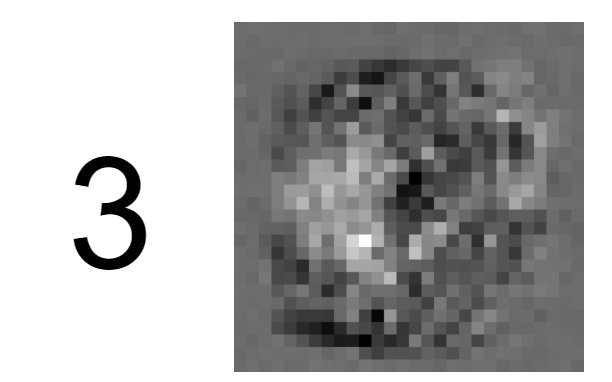
<p>The final step is to create 10 “heat maps” — one for each digit class. Each heat map is a 28x28 image where the brightness of each pixel corresponds to its causal index value. Darker pixels have more influence on the network’s prediction for that digit.</p>

<p>The visualization is rendered on HTML canvas elements using a <code class="language-plaintext highlighter-rouge">draw</code> function that maps each pixel’s causal index to a grayscale color value.</p>

<h2 id="what-the-heat-maps-reveal">What the Heat Maps Reveal</h2>

<p>The results are striking: the heat maps closely resemble the actual digit shapes. This makes intuitive sense — pixels in the regions where a digit is typically drawn should have the strongest influence on recognizing that digit.</p>

<p><img src="/assets/img/mnist3.jpg" alt="Heat map visualization" /></p>

<p>You can see all 10 heat maps generated live in the <a href="https://cleardatalabs.github.io/knowledge-extract-ffnn-mnist/">interactive demo</a>.</p>

<h2 id="whats-next">What’s Next</h2>

<p>The causal index method is fast and intuitive, and it works well for simple feed-forward networks with known structure. However, more complex architectures (or true “black box” models) require different techniques — for instance, iteratively adapting an input image to maximize a particular output class, similar to the approach used in <a href="https://en.wikipedia.org/wiki/DeepDream">DeepDream</a>.</p>

<p>That’s exactly what we explore in Chapter 2.</p>

<hr />

<div class="post-nav">
  <span></span>
  <a href="/articles/knowledge-extract-chapter-2/">Chapter 2: Iterative Input Adaptation &rarr;</a>
</div>]]></content><author><name>Kostiantyn Chumychkin</name></author><summary type="html"><![CDATA[What has a neural network trained on MNIST actually learned? We compute a causal index per pixel and visualize the result as a heat map — implemented in pure JavaScript.]]></summary><media:thumbnail xmlns:media="http://search.yahoo.com/mrss/" url="https://cleardatalabs.com/assets/img/mnist3.jpg" /><media:content medium="image" url="https://cleardatalabs.com/assets/img/mnist3.jpg" xmlns:media="http://search.yahoo.com/mrss/" /></entry><entry><title type="html">Making a Neural Network Dream: DeepDream-Style Visualization in JavaScript</title><link href="https://cleardatalabs.com/articles/knowledge-extract-chapter-2/" rel="alternate" type="text/html" title="Making a Neural Network Dream: DeepDream-Style Visualization in JavaScript" /><published>2026-04-02T00:00:00+00:00</published><updated>2026-04-02T00:00:00+00:00</updated><id>https://cleardatalabs.com/articles/knowledge-extract-chapter-2</id><content type="html" xml:base="https://cleardatalabs.com/articles/knowledge-extract-chapter-2/"><![CDATA[<p><em>This is Chapter 2 of a two-part series on knowledge extraction from neural networks. <a href="https://cleardatalabs.github.io/knowledge-extract-ffnn-mnist/">Live demo</a> · <a href="https://github.com/cleardatalabs/knowledge-extract-ffnn-mnist">Source on GitHub</a></em></p>

<hr />

<p>Iterative input adaptation is a technique for visualizing what a neural network has learned: start with a blank image, randomly perturb individual pixels, and keep changes that increase the network’s confidence for a target class. The result is a DeepDream-style image that reveals the network’s internal concept of each digit — implemented here in pure JavaScript with no ML libraries.</p>

<h2 id="recap">Recap</h2>

<p>In <a href="/articles/knowledge-extract-chapter-1/">Chapter 1</a>, we extracted knowledge from a feed-forward neural network by computing the causal index — a weighted sum of paths from each input pixel to each output class. The result was a set of static heat maps that reveal which pixels matter most for each digit.</p>

<p>That approach is fast and analytical, but it has a limitation: it only considers the linear contribution of weights, ignoring the non-linear activation functions that make neural networks powerful. Can we do better?</p>

<h2 id="a-different-approach-optimizing-the-input">A Different Approach: Optimizing the Input</h2>

<p>Instead of analyzing weights directly, we can take a completely different path: start with a random (mostly blank) image and iteratively modify it until the network confidently classifies it as a specific digit. This is conceptually similar to Google’s <a href="https://en.wikipedia.org/wiki/DeepDream">DeepDream</a>, though applied to a much simpler network.</p>

<p>The idea is straightforward:</p>

<ol>
  <li>Start with a near-blank 28x28 image (pixel values near -1, with small random noise).</li>
  <li>Randomly perturb a single pixel by a small amount.</li>
  <li>Run the modified image through the network and check the output probability for the target digit.</li>
  <li>If the probability improved (i.e., the error decreased), keep the change. Otherwise, discard it.</li>
  <li>Repeat thousands of times.</li>
</ol>

<p>This is essentially a form of <strong>stochastic hill climbing</strong> — a simple optimization technique that doesn’t require computing gradients.</p>

<h2 id="the-error-function">The Error Function</h2>

<p>The core of the optimization is the error function. At its simplest, the error for a target digit <code class="language-plaintext highlighter-rouge">k</code> is:</p>

<div class="language-plaintext highlighter-rouge"><div class="highlight"><pre class="highlight"><code>error = 1 - network_output[k]
</code></pre></div></div>

<p>We want to minimize this, meaning we want the network’s confidence in digit <code class="language-plaintext highlighter-rouge">k</code> to approach 1.0.</p>

<h3 id="optional-smoothness-regularization">Optional: Smoothness Regularization</h3>

<p>Raw optimization can produce noisy, speckled images. To encourage smoother, more natural-looking results, we add a regularization term that penalizes pixels that differ significantly from their neighbors:</p>

<div class="language-plaintext highlighter-rouge"><div class="highlight"><pre class="highlight"><code>regularization = sum of (pixel - average_of_neighbors)^2
</code></pre></div></div>

<p>The final error becomes <code class="language-plaintext highlighter-rouge">error + lambda * regularization</code>, where <code class="language-plaintext highlighter-rouge">lambda</code> is a small weighting factor. In the demo, this is controlled by the “Force Smoothness” checkbox.</p>

<h2 id="the-implementation">The Implementation</h2>

<p>The <code class="language-plaintext highlighter-rouge">Model</code> object handles the full optimization loop:</p>

<ul>
  <li><code class="language-plaintext highlighter-rouge">initInputs()</code> — creates a near-blank starting image</li>
  <li><code class="language-plaintext highlighter-rouge">inputsChanged()</code> — generates a candidate image by randomly perturbing one pixel</li>
  <li><code class="language-plaintext highlighter-rouge">calcErr(inputs, out)</code> — computes the error (with optional regularization)</li>
  <li><code class="language-plaintext highlighter-rouge">run()</code> — the main loop: tries 100 random perturbations per frame, keeps improvements, redraws, and schedules the next frame</li>
</ul>

<div class="language-javascript highlighter-rouge"><div class="highlight"><pre class="highlight"><code><span class="k">this</span><span class="p">.</span><span class="nx">run</span> <span class="o">=</span> <span class="kd">function</span> <span class="p">()</span> <span class="p">{</span>
    <span class="kd">var</span> <span class="nx">out</span> <span class="o">=</span> <span class="nx">selectedDigit</span><span class="p">;</span>
    <span class="kd">var</span> <span class="nx">bestErr</span> <span class="o">=</span> <span class="k">this</span><span class="p">.</span><span class="nx">calcErr</span><span class="p">(</span><span class="k">this</span><span class="p">.</span><span class="nx">inputs</span><span class="p">,</span> <span class="nx">out</span><span class="p">);</span>

    <span class="k">for</span> <span class="p">(</span><span class="kd">var</span> <span class="nx">i</span> <span class="o">=</span> <span class="mi">0</span><span class="p">;</span> <span class="nx">i</span> <span class="o">&lt;</span> <span class="mi">100</span><span class="p">;</span> <span class="nx">i</span><span class="o">++</span><span class="p">)</span> <span class="p">{</span>
        <span class="kd">var</span> <span class="nx">newInputs</span> <span class="o">=</span> <span class="k">this</span><span class="p">.</span><span class="nx">inputsChanged</span><span class="p">();</span>
        <span class="kd">var</span> <span class="nx">newErr</span> <span class="o">=</span> <span class="k">this</span><span class="p">.</span><span class="nx">calcErr</span><span class="p">(</span><span class="nx">newInputs</span><span class="p">,</span> <span class="nx">out</span><span class="p">);</span>
        <span class="k">if</span> <span class="p">(</span><span class="nx">newErr</span> <span class="o">&lt;</span> <span class="nx">bestErr</span><span class="p">)</span> <span class="p">{</span>
            <span class="nx">bestErr</span> <span class="o">=</span> <span class="nx">newErr</span><span class="p">;</span>
            <span class="k">this</span><span class="p">.</span><span class="nx">inputs</span> <span class="o">=</span> <span class="nx">newInputs</span><span class="p">;</span>
        <span class="p">}</span>
    <span class="p">}</span>

    <span class="k">this</span><span class="p">.</span><span class="nx">draw</span><span class="p">();</span>
    <span class="nx">setTimeout</span><span class="p">(</span><span class="kd">function</span> <span class="p">()</span> <span class="p">{</span> <span class="nb">self</span><span class="p">.</span><span class="nx">run</span><span class="p">();</span> <span class="p">},</span> <span class="mi">0</span><span class="p">);</span>
<span class="p">};</span>
</code></pre></div></div>

<h2 id="results">Results</h2>

<p>After several seconds of running, recognizable digit shapes emerge from the noise. With smoothness regularization enabled, the images are cleaner and more closely resemble human handwriting. Without it, the network finds noisier patterns that still achieve high confidence — revealing the kinds of subtle pixel arrangements the network responds to, even if they don’t look natural to us.</p>

<p>Try it yourself in the <a href="https://cleardatalabs.github.io/knowledge-extract-ffnn-mnist/">interactive demo</a>. Select a digit, click Run, and watch the image evolve in real time.</p>

<h2 id="takeaways">Takeaways</h2>

<p>This approach demonstrates that even a simple optimization strategy (no gradients, no backpropagation through the input) can reveal what a neural network has learned. The generated images serve as a form of <strong>model visualization</strong> — they show us the network’s internal concept of each digit.</p>

<p>Comparing the two chapters: the causal index method (Chapter 1) gives a quick analytical snapshot, while iterative adaptation (Chapter 2) lets the network actively construct its ideal input. Both are valuable perspectives on the same model.</p>

<hr />

<div class="post-nav">
  <a href="/articles/knowledge-extract-chapter-1/">&larr; Chapter 1: Causal Index</a>
  <span></span>
</div>]]></content><author><name>Kostiantyn Chumychkin</name></author><summary type="html"><![CDATA[A DeepDream-style technique in pure JavaScript: optimize a blank image until a neural network confidently sees a digit. Visualize what an MNIST network has learned.]]></summary><media:thumbnail xmlns:media="http://search.yahoo.com/mrss/" url="https://cleardatalabs.com/assets/img/mnist3.jpg" /><media:content medium="image" url="https://cleardatalabs.com/assets/img/mnist3.jpg" xmlns:media="http://search.yahoo.com/mrss/" /></entry><entry><title type="html">Seeing in Cells: How Handwriting Becomes Input for a Neural Network</title><link href="https://cleardatalabs.com/articles/seeing-in-cells/" rel="alternate" type="text/html" title="Seeing in Cells: How Handwriting Becomes Input for a Neural Network" /><published>2026-04-02T00:00:00+00:00</published><updated>2026-04-02T00:00:00+00:00</updated><id>https://cleardatalabs.com/articles/seeing-in-cells</id><content type="html" xml:base="https://cleardatalabs.com/articles/seeing-in-cells/"><![CDATA[<p><em>This is Part 1 of the <a href="/articles/hwrjs-handwriting-recognition-in-the-browser/">hwrjs series</a> — a handwriting recognizer built from scratch in TypeScript. <a href="https://cleardatalabs.github.io/hwrjs/">Live demo</a> · <a href="https://github.com/cleardatalabs/hwrjs">Source on GitHub</a></em></p>

<hr />

<p>Before a neural network can classify handwriting, raw pen strokes must be converted into a fixed-size numerical input. This article implements that preprocessing step from scratch in TypeScript: normalizing variable-length canvas coordinates into a scale-invariant 12×12 binary grid — 144 numbers that encode shape, not position or size.</p>

<p>The approach runs entirely in the browser — no cloud API, no Python runtime, no GPU — just JavaScript, a canvas element, and a few hundred lines of arithmetic. But before the neural network can do anything useful, it faces a deceptively hard problem: handwriting doesn’t fit in a box. You draw an “A” in the top-left corner of the canvas, your friend draws the same letter twice as large and centered. Raw pixel coordinates are useless — they encode position and scale, not shape. The network needs something invariant to where and how big you drew.</p>

<p>This article is about how we solve that. It covers the journey from raw canvas strokes to the 144-number array that actually feeds the network. If you want to follow along in code, the full project is at <a href="https://github.com/cleardatalabs/hwrjs">github.com/cleardatalabs/hwrjs</a>, with a <a href="https://cleardatalabs.github.io/hwrjs/">live demo here</a>.</p>

<hr />

<h2 id="the-raw-material-a-list-of-x-y-points">The raw material: a list of (x, y) points</h2>

<p>When you drag your mouse across the canvas, the <code class="language-plaintext highlighter-rouge">DrawingComponent</code> fires on every <code class="language-plaintext highlighter-rouge">mousemove</code> event. Each event produces a single coordinate:</p>

<div class="language-typescript highlighter-rouge"><div class="highlight"><pre class="highlight"><code><span class="c1">// drawing.component.ts</span>
<span class="nx">onMove</span><span class="p">(</span><span class="nx">src</span><span class="p">:</span> <span class="nx">MouseEvent</span><span class="p">)</span> <span class="p">{</span>
  <span class="k">if</span> <span class="p">(</span><span class="o">!</span><span class="k">this</span><span class="p">.</span><span class="nx">isDrawing</span><span class="p">)</span> <span class="p">{</span> <span class="k">return</span><span class="p">;</span> <span class="p">}</span>
  <span class="kd">const</span> <span class="nx">rect</span> <span class="o">=</span> <span class="k">this</span><span class="p">.</span><span class="nx">canvasRef</span><span class="p">.</span><span class="nx">nativeElement</span><span class="p">.</span><span class="nx">getBoundingClientRect</span><span class="p">();</span>
  <span class="k">this</span><span class="p">.</span><span class="nx">draw</span><span class="p">({</span>
    <span class="na">x</span><span class="p">:</span> <span class="nx">src</span><span class="p">.</span><span class="nx">clientX</span> <span class="o">-</span> <span class="nx">rect</span><span class="p">.</span><span class="nx">left</span><span class="p">,</span>
    <span class="na">y</span><span class="p">:</span> <span class="nx">src</span><span class="p">.</span><span class="nx">clientY</span> <span class="o">-</span> <span class="nx">rect</span><span class="p">.</span><span class="nx">top</span>
  <span class="p">});</span>
<span class="p">}</span>
</code></pre></div></div>

<p>The subtraction of <code class="language-plaintext highlighter-rouge">rect.left</code> / <code class="language-plaintext highlighter-rouge">rect.top</code> converts from viewport coordinates to canvas-local coordinates. Each point is pushed into <code class="language-plaintext highlighter-rouge">samplesService.points</code>, which at the end of a stroke looks something like:</p>

<div class="language-plaintext highlighter-rouge"><div class="highlight"><pre class="highlight"><code>[{x:112, y:48}, {x:114, y:51}, {x:117, y:58}, {x:120, y:68}, ...]
</code></pre></div></div>

<p>This list is the raw material. It captures every position your pen visited, in the order you visited them. It knows nothing about what letter you intended.</p>

<hr />

<h2 id="the-problem-with-raw-coordinates">The problem with raw coordinates</h2>

<p>Imagine training a network on these raw (x, y) pairs. Two people draw the letter “A”:</p>

<table>
  <thead>
    <tr>
      <th>Person</th>
      <th>x range</th>
      <th>y range</th>
      <th>Number of points</th>
    </tr>
  </thead>
  <tbody>
    <tr>
      <td>Alice</td>
      <td>100–180</td>
      <td>40–140</td>
      <td>87 points</td>
    </tr>
    <tr>
      <td>Bob</td>
      <td>220–310</td>
      <td>180–290</td>
      <td>143 points</td>
    </tr>
  </tbody>
</table>

<p>Alice drew small and in the upper-left. Bob drew large and in the center. To a model trained on Alice’s coordinates, Bob’s “A” looks like a completely different object — same topology, totally different numbers.</p>

<p>We need a representation that strips out position, scale, and stroke density, leaving only shape. The answer is a fixed-size binary grid.</p>

<hr />

<h2 id="step-1-find-the-bounding-box">Step 1: find the bounding box</h2>

<p>Before we can project the drawing onto a grid, we need to know its extent. <code class="language-plaintext highlighter-rouge">SamplesService.getBoundingBox()</code> makes a single pass over the points:</p>

<div class="language-typescript highlighter-rouge"><div class="highlight"><pre class="highlight"><code><span class="c1">// samples.service.ts</span>
<span class="k">private</span> <span class="nx">getBoundingBox</span><span class="p">(</span><span class="nx">points</span><span class="p">:</span> <span class="nx">Point</span><span class="p">[]):</span> <span class="p">{</span> <span class="nl">minX</span><span class="p">:</span> <span class="kr">number</span><span class="p">;</span> <span class="nl">minY</span><span class="p">:</span> <span class="kr">number</span><span class="p">;</span> <span class="nl">maxX</span><span class="p">:</span> <span class="kr">number</span><span class="p">;</span> <span class="nl">maxY</span><span class="p">:</span> <span class="kr">number</span> <span class="p">}</span> <span class="p">{</span>
  <span class="kd">let</span> <span class="nx">maxX</span> <span class="o">=</span> <span class="o">-</span><span class="kc">Infinity</span><span class="p">,</span> <span class="nx">maxY</span> <span class="o">=</span> <span class="o">-</span><span class="kc">Infinity</span><span class="p">;</span>
  <span class="kd">let</span> <span class="nx">minX</span> <span class="o">=</span> <span class="kc">Infinity</span><span class="p">,</span> <span class="nx">minY</span> <span class="o">=</span> <span class="kc">Infinity</span><span class="p">;</span>
  <span class="k">for</span> <span class="p">(</span><span class="kd">const</span> <span class="nx">point</span> <span class="k">of</span> <span class="nx">points</span><span class="p">)</span> <span class="p">{</span>
    <span class="k">if</span> <span class="p">(</span><span class="nx">point</span><span class="p">.</span><span class="nx">x</span> <span class="o">&gt;</span> <span class="nx">maxX</span><span class="p">)</span> <span class="p">{</span> <span class="nx">maxX</span> <span class="o">=</span> <span class="nx">point</span><span class="p">.</span><span class="nx">x</span><span class="p">;</span> <span class="p">}</span>
    <span class="k">if</span> <span class="p">(</span><span class="nx">point</span><span class="p">.</span><span class="nx">x</span> <span class="o">&lt;</span> <span class="nx">minX</span><span class="p">)</span> <span class="p">{</span> <span class="nx">minX</span> <span class="o">=</span> <span class="nx">point</span><span class="p">.</span><span class="nx">x</span><span class="p">;</span> <span class="p">}</span>
    <span class="k">if</span> <span class="p">(</span><span class="nx">point</span><span class="p">.</span><span class="nx">y</span> <span class="o">&gt;</span> <span class="nx">maxY</span><span class="p">)</span> <span class="p">{</span> <span class="nx">maxY</span> <span class="o">=</span> <span class="nx">point</span><span class="p">.</span><span class="nx">y</span><span class="p">;</span> <span class="p">}</span>
    <span class="k">if</span> <span class="p">(</span><span class="nx">point</span><span class="p">.</span><span class="nx">y</span> <span class="o">&lt;</span> <span class="nx">minY</span><span class="p">)</span> <span class="p">{</span> <span class="nx">minY</span> <span class="o">=</span> <span class="nx">point</span><span class="p">.</span><span class="nx">y</span><span class="p">;</span> <span class="p">}</span>
  <span class="p">}</span>
  <span class="k">return</span> <span class="p">{</span> <span class="nx">minX</span><span class="p">,</span> <span class="nx">minY</span><span class="p">,</span> <span class="nx">maxX</span><span class="p">,</span> <span class="nx">maxY</span> <span class="p">};</span>
<span class="p">}</span>
</code></pre></div></div>

<p>The bounding box is the tightest rectangle that contains every point you drew. For Alice’s “A” above, it would be roughly <code class="language-plaintext highlighter-rouge">{minX:100, minY:40, maxX:180, maxY:140}</code>.</p>

<hr />

<h2 id="step-2-project-onto-a-12--12-grid">Step 2: project onto a 12 × 12 grid</h2>

<p>With the bounding box in hand, every point can be scaled to fit in a 12-cell-wide, 12-cell-tall grid — regardless of where on the canvas it was drawn or how large it is.</p>

<div class="language-typescript highlighter-rouge"><div class="highlight"><pre class="highlight"><code><span class="c1">// samples.service.ts</span>
<span class="nx">gridFromSample</span><span class="p">(</span><span class="nx">sample</span><span class="p">:</span> <span class="nx">Sample</span><span class="p">):</span> <span class="kr">number</span><span class="p">[]</span> <span class="p">{</span>
  <span class="kd">const</span> <span class="p">{</span> <span class="nx">minX</span><span class="p">,</span> <span class="nx">minY</span><span class="p">,</span> <span class="nx">maxX</span><span class="p">,</span> <span class="nx">maxY</span> <span class="p">}</span> <span class="o">=</span> <span class="k">this</span><span class="p">.</span><span class="nx">getBoundingBox</span><span class="p">(</span><span class="nx">sample</span><span class="p">.</span><span class="nx">points</span><span class="p">);</span>

  <span class="kd">const</span> <span class="nx">gridPoints</span> <span class="o">=</span> <span class="k">new</span> <span class="nb">Array</span><span class="p">(</span><span class="k">this</span><span class="p">.</span><span class="nx">sensorWidth</span> <span class="o">*</span> <span class="k">this</span><span class="p">.</span><span class="nx">sensorHeight</span><span class="p">).</span><span class="nx">fill</span><span class="p">(</span><span class="mi">0</span><span class="p">);</span>

  <span class="k">for</span> <span class="p">(</span><span class="kd">const</span> <span class="nx">point</span> <span class="k">of</span> <span class="nx">sample</span><span class="p">.</span><span class="nx">points</span><span class="p">)</span> <span class="p">{</span>
    <span class="kd">const</span> <span class="nx">gridX</span> <span class="o">=</span> <span class="k">this</span><span class="p">.</span><span class="nx">sensorWidth</span>  <span class="o">*</span> <span class="p">(</span><span class="nx">point</span><span class="p">.</span><span class="nx">x</span> <span class="o">-</span> <span class="nx">minX</span><span class="p">)</span> <span class="o">/</span> <span class="p">(</span><span class="nx">maxX</span> <span class="o">-</span> <span class="nx">minX</span> <span class="o">+</span> <span class="mi">1</span><span class="p">);</span>
    <span class="kd">const</span> <span class="nx">gridY</span> <span class="o">=</span> <span class="k">this</span><span class="p">.</span><span class="nx">sensorHeight</span> <span class="o">*</span> <span class="p">(</span><span class="nx">point</span><span class="p">.</span><span class="nx">y</span> <span class="o">-</span> <span class="nx">minY</span><span class="p">)</span> <span class="o">/</span> <span class="p">(</span><span class="nx">maxY</span> <span class="o">-</span> <span class="nx">minY</span> <span class="o">+</span> <span class="mi">1</span><span class="p">);</span>
    <span class="nx">gridPoints</span><span class="p">[</span><span class="nb">Math</span><span class="p">.</span><span class="nx">floor</span><span class="p">(</span><span class="nx">gridX</span><span class="p">)</span> <span class="o">+</span> <span class="k">this</span><span class="p">.</span><span class="nx">sensorWidth</span> <span class="o">*</span> <span class="nb">Math</span><span class="p">.</span><span class="nx">floor</span><span class="p">(</span><span class="nx">gridY</span><span class="p">)]</span> <span class="o">=</span> <span class="mi">1</span><span class="p">;</span>
  <span class="p">}</span>

  <span class="k">return</span> <span class="nx">gridPoints</span><span class="p">;</span>
<span class="p">}</span>
</code></pre></div></div>

<p>The formula <code class="language-plaintext highlighter-rouge">sensorWidth * (point.x - minX) / (maxX - minX + 1)</code> maps the x coordinate linearly from <code class="language-plaintext highlighter-rouge">[minX, maxX]</code> to <code class="language-plaintext highlighter-rouge">[0, sensorWidth)</code>. The <code class="language-plaintext highlighter-rouge">+1</code> prevents a division-by-zero when the drawing is a single vertical or horizontal line.</p>

<p><code class="language-plaintext highlighter-rouge">Math.floor(gridX) + sensorWidth * Math.floor(gridY)</code> converts the 2D grid coordinate into a flat array index: column + 12 * row.</p>

<p>Every grid cell that any stroke passed through gets set to <code class="language-plaintext highlighter-rouge">1</code>. Everything else stays <code class="language-plaintext highlighter-rouge">0</code>.</p>

<hr />

<h2 id="what-the-grid-looks-like">What the grid looks like</h2>

<p>Here is a rough ASCII rendering of the letter “A” projected onto a 12 × 12 grid:</p>

<div class="language-plaintext highlighter-rouge"><div class="highlight"><pre class="highlight"><code>. . . . . . 1 . . . . .
. . . . . 1 . 1 . . . .
. . . . 1 . . . 1 . . .
. . . 1 . . . . . 1 . .
. . 1 . . . . . . . 1 .
. 1 1 1 1 1 1 1 1 1 1 .
1 . . . . . . . . . . 1
1 . . . . . . . . . . 1
</code></pre></div></div>

<p>Each row is 12 cells. The full grid flattens to 144 numbers, each either 0 or 1. This 144-element array is what the neural network receives as input.</p>

<hr />

<h2 id="why-this-works-and-where-it-breaks-down">Why this works (and where it breaks down)</h2>

<p>The grid representation is surprisingly capable for its simplicity. A few reasons it holds up:</p>

<ul>
  <li><strong>Scale invariance</strong>: Alice’s tiny “A” and Bob’s large “A” both fit the bounding box exactly, so they produce nearly the same grid.</li>
  <li><strong>Position invariance</strong>: subtracting <code class="language-plaintext highlighter-rouge">minX</code> and <code class="language-plaintext highlighter-rouge">minY</code> recenters every drawing to the origin.</li>
  <li><strong>Fixed size</strong>: regardless of how many points you drew, the output is always 144 numbers — a requirement for a network with a fixed number of input neurons.</li>
</ul>

<p>The limits are equally instructive:</p>

<ul>
  <li><strong>Rotation</strong>: a tilted “A” looks like a different letter.</li>
  <li><strong>Stroke order and direction</strong>: the grid is a spatial snapshot, not a temporal one. Two drawings with the same strokes in different orders produce identical grids.</li>
  <li><strong>Very similar letters</strong>: an “O” and a “0” will produce nearly identical grids unless the user has a strong, consistent style.</li>
</ul>

<p>For a handwriting demo that trains on a single user’s samples and recognizes that same user’s characters, these limitations don’t matter much in practice. The grid is good enough — and simple enough to understand completely.</p>

<hr />

<h2 id="the-path-to-144-numbers">The path to 144 numbers</h2>

<p>Let’s summarize the full pipeline:</p>

<ol>
  <li>User draws on canvas → <code class="language-plaintext highlighter-rouge">DrawingComponent</code> collects <code class="language-plaintext highlighter-rouge">Point[]</code> on each <code class="language-plaintext highlighter-rouge">mousemove</code></li>
  <li>User clicks “Add” → <code class="language-plaintext highlighter-rouge">SamplesService.addSample()</code> stores the <code class="language-plaintext highlighter-rouge">{letter, points}</code> pair</li>
  <li>When building training data → <code class="language-plaintext highlighter-rouge">gridFromSample()</code> calls <code class="language-plaintext highlighter-rouge">getBoundingBox()</code>, then projects each point into a 12×12 binary grid</li>
  <li>Result: <code class="language-plaintext highlighter-rouge">number[]</code> of length 144, containing only <code class="language-plaintext highlighter-rouge">0</code> and <code class="language-plaintext highlighter-rouge">1</code></li>
</ol>

<p>The network never sees raw pixel coordinates. It sees a normalized, scale-invariant, fixed-size representation of the shape — which is the only thing it needs.</p>

<hr />

<div class="post-nav">
  <span></span>
  <a href="/articles/144-numbers-in-one-letter-out/">Part 2: 144 Numbers In, One Letter Out &rarr;</a>
</div>]]></content><author><name>Kostiantyn Chumychkin</name></author><summary type="html"><![CDATA[How to preprocess handwriting for a neural network: raw pen strokes become a scale-invariant 12×12 binary grid of 144 numbers — implemented in TypeScript, no libraries.]]></summary><media:thumbnail xmlns:media="http://search.yahoo.com/mrss/" url="https://cleardatalabs.com/assets/img/ai.gif" /><media:content medium="image" url="https://cleardatalabs.com/assets/img/ai.gif" xmlns:media="http://search.yahoo.com/mrss/" /></entry><entry><title type="html">What ClearDataLabs Is About</title><link href="https://cleardatalabs.com/articles/welcome-to-cleardatalabs/" rel="alternate" type="text/html" title="What ClearDataLabs Is About" /><published>2026-04-02T00:00:00+00:00</published><updated>2026-04-02T00:00:00+00:00</updated><id>https://cleardatalabs.com/articles/welcome-to-cleardatalabs</id><content type="html" xml:base="https://cleardatalabs.com/articles/welcome-to-cleardatalabs/"><![CDATA[<p>ClearDataLabs is an open-source educational project that explains AI concepts by building neural networks from scratch — no TensorFlow, no PyTorch, just TypeScript and a browser. Every article includes working code, and every demo runs client-side with no server.</p>

<p>Most machine learning tutorials hand you a library and a dataset. You call <code class="language-plaintext highlighter-rouge">model.fit()</code>, watch the accuracy climb, and walk away with a trained model and no particular understanding of what just happened.</p>

<p>That’s useful. But it’s not the only way to learn.</p>

<p>ClearDataLabs exists for the other approach: understand what’s actually going on. How do networks learn? How does data flow through layers? What does a trained model really “know”? These questions don’t have one-line answers — but they become a lot clearer when you can see the mechanics, interact with them, and sometimes build them yourself.</p>

<h2 id="why-fundamentals-matter">Why fundamentals matter</h2>

<p>AI is moving fast. New architectures, new training techniques, new applications — the landscape shifts constantly. But the core ideas behind all of it — gradient descent, loss functions, representation learning, optimization — remain remarkably stable. Understanding those fundamentals makes it easier to follow what’s new, evaluate what’s hype, and build on what actually works.</p>

<p>ClearDataLabs focuses on those fundamentals. Not to ignore the cutting edge, but because a solid foundation is the best tool for navigating it.</p>

<h2 id="the-projects-so-far">The projects so far</h2>

<p><strong><a href="/projects/">Handwriting Recognition in the Browser</a></strong> — a feedforward neural network that reads handwritten characters in real time. You draw a letter, the network classifies it. Trained and running entirely in the browser, with backpropagation implemented from first principles.</p>

<p><strong><a href="/projects/">Knowledge Extraction from a Neural Network</a></strong> — an MNIST digit classifier, trained and frozen, dissected two ways. First, by computing a causal index that measures how much each input pixel influenced each output class. Second, by optimizing a blank image until the network “sees” a specific digit in it — a browser-native version of DeepDream.</p>

<p>These are starting points. The project is a playground for experimenting with different architectures, training methods, and visualization techniques — open-source and not tied to any specific framework or brand.</p>

<h2 id="what-youll-find-here">What you’ll find here</h2>

<p>Articles that go deep on the ideas and their implementation. Not “here’s the concept,” but “here’s how it works, here’s the code, here’s where it breaks.” Written for anyone curious enough to want to understand AI, not just use it.</p>

<p>Start with the <a href="/projects/">projects page</a> for the demos, or jump straight into <a href="/articles/">the articles</a>.</p>]]></content><author><name>Kostiantyn Chumychkin</name></author><summary type="html"><![CDATA[ClearDataLabs is an open-source project that explains AI and neural networks through interactive browser demos and in-depth articles — building everything from scratch, no ML libraries.]]></summary><media:thumbnail xmlns:media="http://search.yahoo.com/mrss/" url="https://cleardatalabs.com/assets/img/ai.gif" /><media:content medium="image" url="https://cleardatalabs.com/assets/img/ai.gif" xmlns:media="http://search.yahoo.com/mrss/" /></entry></feed>